Simplifying Product Creation in Odoo: A Quick Guide by Soor Technologies
Templates, variants, and clean catalogs for teams in Kuwait and beyond.
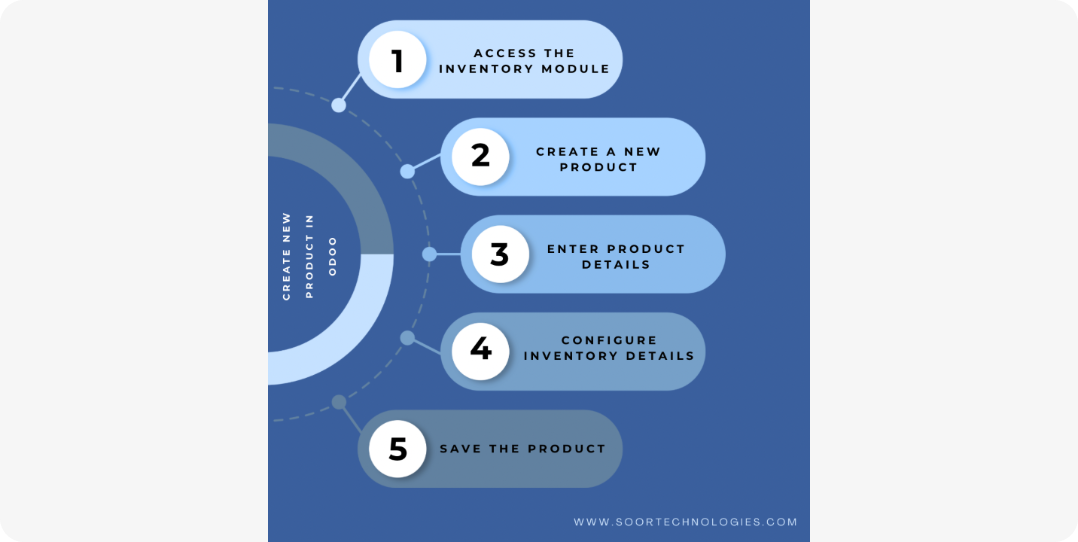
Setting up products correctly in Odoo is one of the most important steps in any ERP implementation. Whether you're managing inventory, sales, purchases, or e-commerce, every transaction flows through your product definitions. In this quick guide, Soor Technologies will show you how to simplify product creation in Odoo so your system stays accurate, easy to maintain, and aligned with your business processes in Kuwait and beyond.
Why product creation matters in Odoo
In Odoo, a product is not just an item in a catalog: it is the central record that connects inventory levels; sales and purchase prices; bill of materials (for manufacturing); variants, units of measure, and barcodes; and e-commerce and POS visibility.
If products are created inconsistently or with incomplete information, you'll see issues such as incorrect pricing on invoices, stock-level mismatches, and confusing navigation for sales and warehouse teams.
Simplifying product creation means standardizing how you create products and using Odoo features correctly from day one.
Step 1: Decide your product strategy
Before you start creating products, define your product types—for example consumables (including services and other non-stock items), stockable products managed in inventory, and storable products with tracking such as lot or serial numbers where your operations require it.
Set up product categories to group products into buckets such as Raw Materials, Finished Goods, Services, or Digital Products. This helps with reporting and warehouse picking.
Decide units of measure (UoM): pick the main unit (for example Each, Kg, or Box) and any secondary units (for example a box of 12 units) so purchases and sales can be tracked in real-world terms.
Step 2: Use templates and variants correctly
Odoo lets you create product templates and variants, which saves time and keeps data consistent. On the product template, define shared attributes—for example a laptop computer—including category, base price, taxes, and supplier information.
Use variants for colors, sizes, models, or SKUs. Instead of creating separate products manually, you set up attributes and attribute values once, and Odoo generates the variants automatically. This reduces errors and keeps your catalog easy to manage.
Step 3: Fill in essential product fields
When creating a product, focus on the must-have fields. Use a clear, consistent naming convention and internal reference (SKU), for example LAP-001 or MTR-005, so users can search and identify products quickly.
Complete sales and purchase information: sales price and currency, cost price if you track costs, and default supplier where you want auto-fills on purchase orders.
Configure inventory settings: inventory valuation approach (such as standard, real time, or FIFO where applicable), reordering rules when auto-replenishment should run, and barcodes and packaging when relevant—including internal barcodes and packaging units such as a box of 12.
By filling in these fields systematically, you avoid manual overrides later and keep reports and price lists accurate.
Step 4: Keep product data clean and organized
Over time, catalogs grow and become messy. To simplify product creation and maintenance, use a naming and numbering standard—for example prefixes by category such as RAW-, FIN-, or SRV-, and consistent formatting for SKUs.
Use product categories and tags: group products into logical categories such as Office Supplies, IT Equipment, or Services, and use tags for quick filters.
Review and archive old products. Instead of deleting products with history, mark them as inactive so old documents such as invoices and sales orders stay intact but the product is no longer visible in new transactions.
Standardize product templates for similar items—for example all services can follow the same template with the same pricing and tax rules, while finished goods follow another template.
Step 5: Train your team on product creation best practices
Even the best Odoo setup can break if users create products incorrectly. Soor Technologies recommends training sessions for sales and warehouse teams, purchasing managers, and admins who create or modify products.
Provide a simple checklist for new products: name and SKU, category, sales price and cost, inventory settings, and barcodes or packaging when needed.
Consider a small product creation team: in many companies, only one or two people are allowed to create new product templates, while others use existing ones. This keeps the catalog clean and standardized.
Odoo-specific tips from Soor Technologies
Use imports for bulk products. If you have more than a hundred SKUs, use Odoo's import feature (CSV or Excel) with a well-structured template so you do not create products one by one.
Link products to your chart of accounts so revenues and costs map to the right accounts and your financial reports reflect reality.
Think ahead about variants versus separate products. Before creating many individual products, ask whether an item can be a variant of an existing template. This reduces clutter and makes reporting easier.
Test product creation in a staging environment first. If you are customizing product workflows or automations, validate them in a non-live Odoo environment before applying changes to production.
Call to action for Soor Technologies
If your team is struggling with messy product data, inconsistent pricing, or slow catalog setup in Odoo, Soor Technologies can help simplify product creation for your business in Kuwait.
From standardizing product templates to training your team and cleaning up existing catalogs, we make sure your Odoo system is easy to use and aligned with your operations.
Contact Soor Technologies today to schedule a free Odoo consultation and product creation review session.